
Free tool · 3D viewer
Online 3D viewer: view and share STEP, STL & more for free
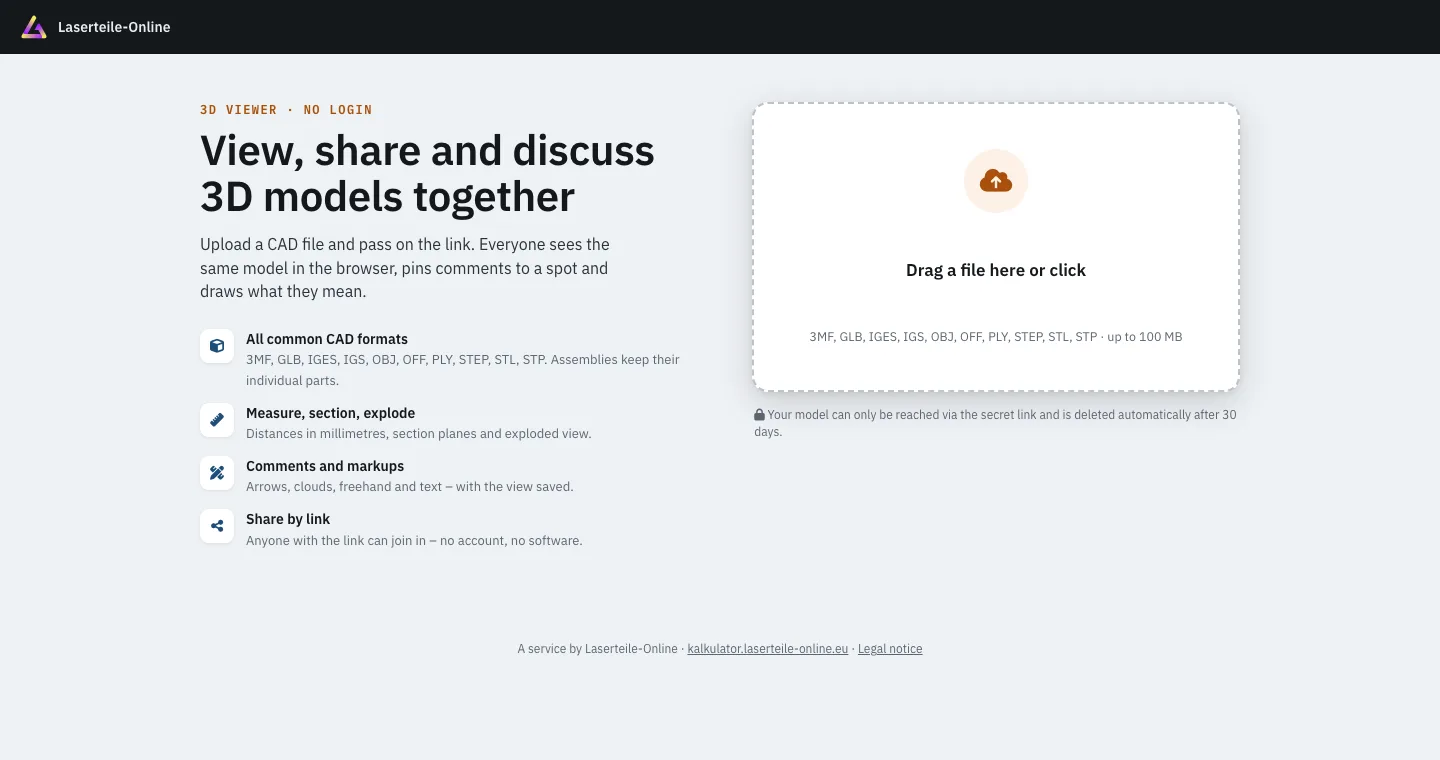
The Laserteile Online 3D viewer opens STEP, IGES, STL, OBJ, PLY, 3MF, OFF and GLB files up to 100 MB right in your browser – free of charge, with no account, no email address and nothing to install. You measure distances in millimetres, add section planes and share the model via a secret link; anyone with the link can view it and comment directly on the part. After 30 days the model is deleted automatically.
- Free
- No account or email
- Up to 100 MB
- 8 file formats
- Works on phone & tablet
Features
What the 3D viewer can do
Not just a preview image but a tool for checking: rotate, measure, cut open and take assemblies apart – all in the browser.
ViewCube & home view
Use the cube in the corner to jump to the front, side or top view; one click on the home view brings the whole model back into the frame.
Measure with vertex snap
Measure point-to-point distances; the snap locks onto corners. You see the distance plus ΔX, ΔY and ΔZ in millimetres.
Section planes X, Y, Z
Cut the model open along any axis and look inside – at wall thicknesses, holes or hidden parts, for example.
Exploded view
Pull assemblies apart so every single part becomes visible – handy for discussing structure and assembly order.
Part tree
Every part of an assembly with its name and colour from the STEP file. Show and hide parts or isolate them one by one.
Properties
The dimensions of each part at a glance – useful for a quick check whether a sheet fits the format.
Display
Choose the background, file colours or a metal look, perspective or orthographic view, edges on or off.
Image, full screen, shortcuts
Save the current view as an image, present in full screen and work faster with keyboard shortcuts.
How it works
Three steps to a shared model
No sign-up, no installation – all you need is your file and a browser.
Step 01
Upload the file
Open the 3D viewer and drag your STEP, IGES, STL or other 3D file into the upload area. Up to 100 MB per file; assemblies keep their individual parts.
Step 02
Share the link
You get a secret link to the model and a management link for yourself. Send the secret link by email or messenger to colleagues, customers or suppliers.
Step 03
Comment together
Everyone sees the same model in the browser and pins comments directly to the part – with a saved view, markups and replies. Nobody needs an account.
Share & comment
Settle questions right on the part
Instead of emailing screenshots with red circles back and forth, every note sits exactly where it belongs – and everyone sees the same view.
Pin on the part
Every comment is attached to a spot on the model – so it is clear which edge or hole is meant.
Saved view
The view is saved with the comment – including the section plane and exploded view.
Markups
Arrow, freehand, line, rectangle, circle, revision cloud and text – in 6 colours and 3 line weights.
Replies & resolved
Reply to comments and mark them as resolved or reopen them – so it stays clear what is still open.
Attachments up to 25 MB
Attach files to any comment, for example a PDF, images, DXF/DWG or a revised STEP file.
Comments on or off
With the management link you decide whether recipients may comment or only view the model.
File formats
The 3D formats the viewer opens
From the design file out of your CAD program to the print file from your slicer – eight formats, up to 100 MB per file.
| Format | Extension | Type | Typical source |
|---|---|---|---|
| STEP | .step, .stp | Solid model | Exported from SolidWorks, Fusion, Inventor, FreeCAD and almost any CAD program |
| IGES | .iges, .igs | Surface/solid model | Older CAD exchange format, often from archives and suppliers |
| STL | .stl | Triangle mesh | 3D printing, export from CAD and modelling programs |
| 3MF | .3mf | Triangle mesh | 3D printing slicers and newer CAD programs |
| OBJ | .obj | Triangle mesh | 3D modelling, visualisation and 3D scans |
| PLY | .ply | Triangle mesh | 3D scanners and photogrammetry |
| GLB | .glb | Triangle mesh | Web 3D and AR, e.g. exported from Blender |
| OFF | .off | Triangle mesh | Geometry and research tools |
STEP assemblies keep their individual parts – with part names and colours in the part tree. DXF and DWG are 2D formats: for laser contours there is the instant price calculator; in the viewer you can attach them to a comment.
Who it's for
Who uses the 3D viewer
Design engineers
Show a design to colleagues or customers quickly without them needing the same CAD program – and get feedback collected on the model.
Purchasing & suppliers
Agree on drawing revisions with your supplier: questions are pinned to the part, revised files are attached right to the comment.
Makers & 3D printing
Check STL and 3MF files before printing, measure them and share them with the community or friends.
Customers without CAD software
If someone sends you a STEP file and you have no CAD program, open it in the browser – on a phone or tablet too.
Privacy & retention
What happens to your model
- Only reachable via the secret link – without the link, nobody sees the model.
- Deleted automatically after 30 days – without you having to remember.
- Management link for the uploader – change the title, switch comments on or off, delete the model early.
- No account, no email address – for uploaders and recipients alike.
- Fair use: up to 10 uploads per day and connection.
Comparison
Desktop viewer, account-based viewer, browser without account
Desktop viewers have to be installed on every computer that needs to open the model – often not possible at a customer's or supplier's site. Online viewers with an account save the installation but require a sign-in: the well-known Autodesk Viewer (viewer.autodesk.com), for example, needs an Autodesk account.
The Laserteile Online 3D viewer addresses exactly this point: no account, no email address, nothing to install – upload, share the link, comment together. For large design teams with version control, a PDM system remains the right tool; for quick coordination across company boundaries, a link is enough.
From model to part
Happy with the part? Have it made right away
Behind the viewer is the online laser fabrication service of Laserteile Online. The team clarifies questions about laser part orders through the same viewer – so you already know how it works when it comes to your own part.
If you want your sheet metal part made, upload the STEP, DXF or DWG file to the instant price calculator and see the price in about 60 seconds. More on fabrication: laser cutting, sheet metal bending and the guide create a DXF file. No CAD file? Then draw a sheet metal part online.
FAQ
Frequently asked questions about the 3D viewer
How do I open a STEP file without CAD software?
Upload the STEP file to the free Laserteile Online 3D viewer – it shows the model right in your browser, with nothing to install and no account. Assemblies keep their individual parts with names and colours. It works on phones and tablets too.
Is the 3D viewer free?
Yes, the 3D viewer is free – no trial period and no subscription. Up to 10 files per day can be uploaded per connection. You do not need to place an order with Laserteile Online to use it.
Do I need an account or an email address?
No. You need neither an account nor an email address to upload, view or comment. Whoever uploads gets a management link to change the title, switch comments on or off or delete the model – keep this link safe.
How long does my model stay online?
30 days, after which it is deleted automatically. You can delete it yourself at any time before that via the management link. During this time the model can only be reached via the secret link.
Can I take measurements in the 3D viewer?
Yes. The measuring tool measures point-to-point distances, and the snap locks onto corners. It shows the distance plus ΔX, ΔY and ΔZ in millimetres; under “Properties” you also see the dimensions of each part.
How large can the file be, and which formats work?
Up to 100 MB per file. The viewer opens STEP/STP, IGES/IGS, STL, OBJ, PLY, 3MF, OFF and GLB. Attachments to comments, such as a PDF or photo, can be up to 25 MB.
Can I view DXF files in the 3D viewer?
No, DXF is a 2D format and is not opened as a model in the 3D viewer. For DXF contours there is the Laserteile Online instant price calculator: it reads the file and shows the price for the laser part. In the viewer, however, you can attach DXF or DWG files to a comment.
How do I share a 3D model with others?
After uploading you get a secret link that you pass on by email or messenger. Anyone who opens the link sees the same model and – if comments are switched on – can leave comments with a pin, saved view and markups. Nobody needs an account for this.
Upload the model, share the link, comment together
The 3D viewer runs right in your browser – STEP, IGES, STL and five more formats up to 100 MB, with no account and nothing to install.
Free · no account or email address · models are deleted automatically after 30 days